Free E-book: Inside #MSOMS v2 now available

It took us some time but we’ve managed to update the one and only free OMS book. We had plans to release it earlier but unforeseen things has happened which prevented us to do it earlier. I hope you will understand but you will still enjoy it. The other authors and me put a lot of effort to get it out along with the reviewers.

The new query language of Log Analytics is not included in the book but that should not discourage you as the content is still relevant.

Go grab Inside the Microsoft Operations Management Suite for free. Let us know if you have any feedback.

I mostly would like to thank my fiancée for being patient with me and supporting me while I was writing my chapters.
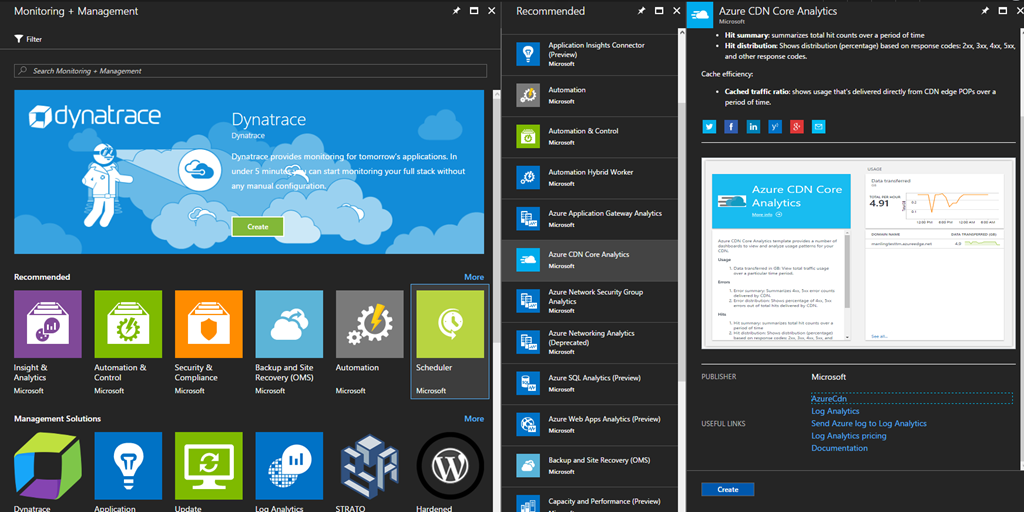
Azure CDN Core Analytics with OMS for Akamai and Verizon

There is a new OMS solution in town but you will not find it in the OMS Gallery. It is located in Azure Marketplace. My tip is to start to deploy OMS solutions via the Azure Marketplace. The new solution in town is called Azure CDN Core Analytics.

image

Continue reading “Azure CDN Core Analytics with OMS for Akamai and Verizon”

Backup Reports in Azure Backup with Log Analytics and PowerBI

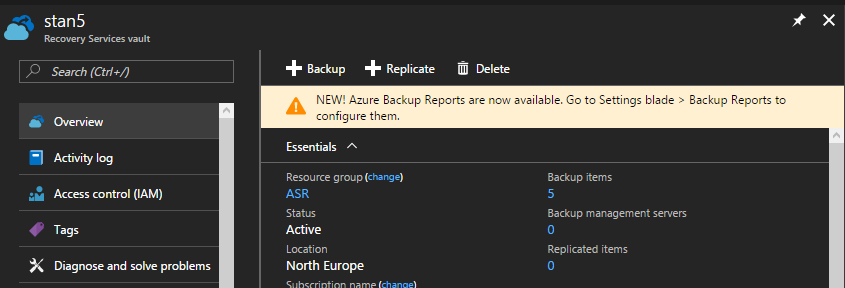
A new feature just popped up in my Recovery Services Vault named Backup Reports:

image

Continue reading “Backup Reports in Azure Backup with Log Analytics and PowerBI”

[Cross-Post] How To Detect And Protect Yourself From WannaCry

Make sure to check out this blog post that I’ve wrote on my company’s web site.

How To Detect And Protect Yourself From WannaCry

Reserved Common Fields in Log Analytics

I’ve recently been playing with some solution development and I’ve noticed something interesting.

When we are using the OMS Data Collector API we send data by creating json file. That json file is in simple format like this:

{
"property1": "value1",
"property2": "value2"
"property3": "value3",
"property4": "value4"
}

In this pseudo code property is the name of our fields. So when the data is uploaded to OMS the name for field property1 will turn to property1_s. Basically OMS adds suffix to the name of each field and this suffix represents the data type of the value for the field.

There are some exception though. For example if our property is called Computer that will not turn into Computer_s in Log Analytics. Basically the Computer field is a special one. Turned out there are more such fields actually and they are called Reserved Common Fields.

Continue reading “Reserved Common Fields in Log Analytics”