Hybrid Cloud with NVGRE Whitepaper

I would like to introduce a new whitepaper titled “Hybrid Cloud with NVGRE” that is authored by my mates Kristian Nese (MVP) and Flemming Riis (MVP). Daniel Neumann and me are technical reviewers and helpers with some knowledge. Flemming also provided us with the hardware for the lab and this wouldn’t be possible without him.

Please note that this white paper is in its first release.
Once we reach RTM, additional content will be added.

  • Site-2-Site VPN
  • Self-service and tenants with Windows Azure Pack

You can download the whitepaper from here.

You can leave any comments or questions on Kristian’s blogpost.
VMM 2012 R2 Preview Console Crashes When You Try to Add Logical Switch to Hyper-V 2012 Host

Consider the following situation:

  • You install VMM 2012 R2 Preview
  • You install manually Windows Server 2012 Hyper-V Host/s
  • You install manually Windows Server 2012 R2 Preview Hyper-V Host/s
  • You add the Hyper-V 2012 and 2012 R2 hosts to VMM 2012 R2
  • You create Port Profile for teaming with Dynamic algorithm
  • You create Logical Switch to which you add the created Port Profile
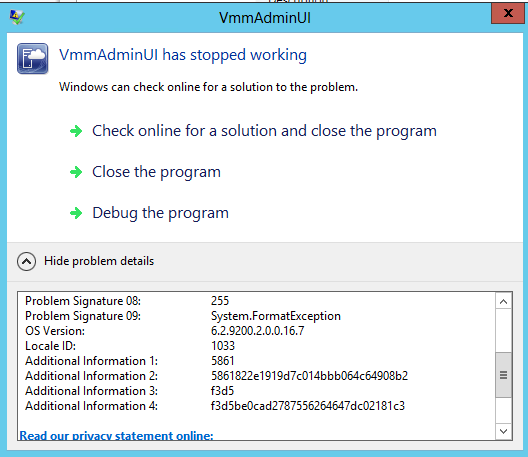
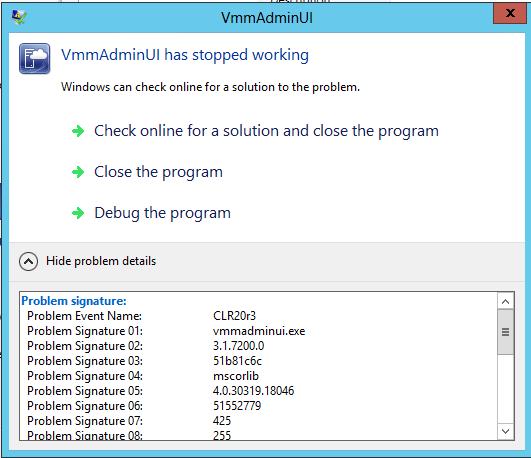
  • You open the properties of Hyper-V 2012 host and in Virtual Switches tab you’ve try to add Logical Switch. Immediately the VMM 2012 R2 Preview console crashes with the following error:
  • vmmconsolecrash1

vmmconsolecrash2

Reason:

Dynamic algorithm for NIC Teaming is available only on Hyper-v 2012 R2 hosts. Even if you create a port profile with a supported by Hyper-V 2012 NIC Teaming algorithm and assign it to different logical switch you still might get the error.

Resolution:

Change the port profile with Dynamic algorithm to use Host Default that way when the Hyper-V host is 2012 Hyper-V Port algorithm will be used and for 2012 R2 Host Dynamic algorithm will be used. The console will not crash on trying to add logical switch on Hyper-V 2012 host.

New MP: Hyper-V Management Pack Extensions 2012

The Hyper-V MP provides good monitoring but certainly that MP can be extended to provide more advanced monitoring. For Hyper-V 2008 R2 MP some Microsoft employees extended that MP and provided this extension MP at codeplex site. Now they are providing us with similar extension MP for Hyper-V 2012 MP.

New features in this release:
VMs Integration Services Version monitor
Hyper-V Replica Health Monitoring Dashboard and States
SMB Shares I/O latency monitor
Included features from previous release
Hyper-V Hypervisor Logical processor monitoring
Hyper-V Hypervisor Virtual processor monitoring
Hyper-V Dynamic Memory monitoring
Hyper-V Virtual Networks monitoring
NUMA remote pages monitoring
SLAT enabled processor detection
Hyper-V VHDs monitoring
Physical and Logical Disk monitoring
Host Available Memory monitoring
Stopped and Failed VMs monitoring
Failed Live Migrations monitoring

Keep in mind that the management pack is with beta status. You can download it from codeplex site.

Test Lab Guide: Windows Server 2012 R2 Hyper-V Network Virtualization with System Center 2012 R2 VMM

Even though SC 2012 R2 and WS 2012 R2 are not released yet Microsoft published a guide to setup lab for Hyper-V Network Virtualization. There are no screenshot in the guide but you can have a sneak peak preview of the architecture of the new Multi-Tenant NVGRE Gateway. Check it out here.

Capacity Planner for Hyper-V Replica

Microsoft has released a tool that will help you plan your capacity for Hyper-V Replica. The tool and the documentation for it you can find here.