
I was deploying SMA recently and bumped in into the following error while installing the Worker Role: Continue reading “Installing System Center Service Management Automation Worker Role Fails with MSI Error 1603”
Tag: troubleshoot
Quick Tip: Pinging Provider Address in Hyper-V Network Virtualization
If you are familiar with Hyper-V Network Virtualization you know that there is the concept of Provider Addresses and they are kind of different than the normal addresses assigned for physical or virtual network adapters. Continue reading “Quick Tip: Pinging Provider Address in Hyper-V Network Virtualization”
Request Error on Calling Freshly Installed SCO 2012 R2 Preview Web Service
For some weeks I am having this issue with System Center Orchestrator 2012 R2 Preview. When I install the web service and the console and try to call the web service (http://localhost:81/orchestrator2012/orchestrator.svc/) I receive the following error:

Request Error
The server encountered an error processing the request. The exception message is ‘An error occurred while executing the command definition. See the inner exception for details.’. See server logs for more details. The exception stack trace is:
at System.Data.EntityClient.EntityCommandDefinition.ExecuteStoreCommands(EntityCommand entityCommand, CommandBehavior behavior) at System.Data.EntityClient.EntityCommandDefinition.Execute(EntityCommand entityCommand, CommandBehavior behavior) at System.Data.EntityClient.EntityCommand.ExecuteReader(CommandBehavior behavior) at System.Data.EntityClient.EntityCommand.ExecuteScalar[T_Result](Func`2 resultSelector) at System.Data.Objects.ObjectContext.ExecuteFunction(String functionName, ObjectParameter[] parameters) at Microsoft.SystemCenter.Orchestrator.WebService.OrchestratorContext.OnContextCreated() at invoke_constructor() at System.Data.Services.DataService`1.CreateProvider() at System.Data.Services.DataService`1.HandleRequest() at System.Data.Services.DataService`1.ProcessRequestForMessage(Stream messageBody) at SyncInvokeProcessRequestForMessage(Object , Object[] , Object[] ) at System.ServiceModel.Dispatcher.SyncMethodInvoker.Invoke(Object instance, Object[] inputs, Object[]& outputs) at System.ServiceModel.Dispatcher.DispatchOperationRuntime.InvokeBegin(MessageRpc& rpc) at System.ServiceModel.Dispatcher.ImmutableDispatchRuntime.ProcessMessage5(MessageRpc& rpc) at System.ServiceModel.Dispatcher.ImmutableDispatchRuntime.ProcessMessage31(MessageRpc& rpc) at System.ServiceModel.Dispatcher.MessageRpc.Process(Boolean isOperationContextSet)
I think the problem is how connected to that I am using remote clustered SQL instance but as I am not IIS expert it is hard to me to troubleshoot it. But I’ve found workaround.
The Workaround
Uninstall the SCO 2012 R2 web service and console and install SCO 2012 SP1 web service and console (all other SCO roles are 2012 R2). So far it seems this solution is working for me. I do not recommend using this solution but if you are in a stuck situation you can try it.
VMM 2012 R2 Preview Console Crashes When You Try to Add Logical Switch to Hyper-V 2012 Host
Consider the following situation:
- You install VMM 2012 R2 Preview
- You install manually Windows Server 2012 Hyper-V Host/s
- You install manually Windows Server 2012 R2 Preview Hyper-V Host/s
- You add the Hyper-V 2012 and 2012 R2 hosts to VMM 2012 R2
- You create Port Profile for teaming with Dynamic algorithm
- You create Logical Switch to which you add the created Port Profile
- You open the properties of Hyper-V 2012 host and in Virtual Switches tab you’ve try to add Logical Switch. Immediately the VMM 2012 R2 Preview console crashes with the following error:
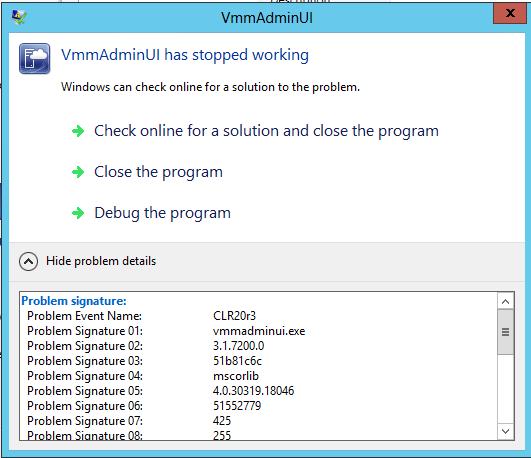
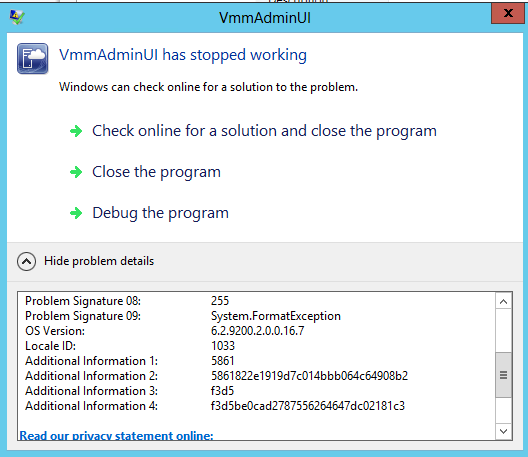
Reason:
Dynamic algorithm for NIC Teaming is available only on Hyper-v 2012 R2 hosts. Even if you create a port profile with a supported by Hyper-V 2012 NIC Teaming algorithm and assign it to different logical switch you still might get the error.
Resolution:
Change the port profile with Dynamic algorithm to use Host Default that way when the Hyper-V host is 2012 Hyper-V Port algorithm will be used and for 2012 R2 Host Dynamic algorithm will be used. The console will not crash on trying to add logical switch on Hyper-V 2012 host.
“The user credentials are invalid or user does not have permissions to access the application” Error on Newly Install SCOM Web Console
I was installing SCOM 2012 R2 Preview today and after the installation I’ve tried to access the Web Console to see if it is healthy but I’ve received error “The user credentials are invalid or user does not have permissions to access the application”:
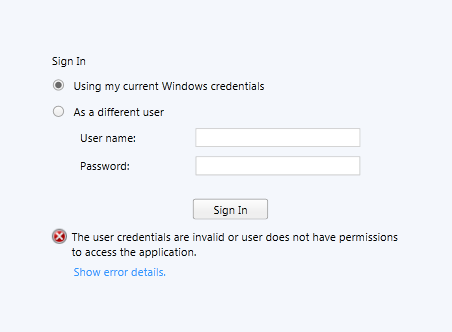
For sure my account had access as I was working in the Operations Manager console at the same time.
How I solved it?
I’ve started IIS Manager and check what authentication methods are enabled. Windows Authentication was disabled so I’ve enabled it:
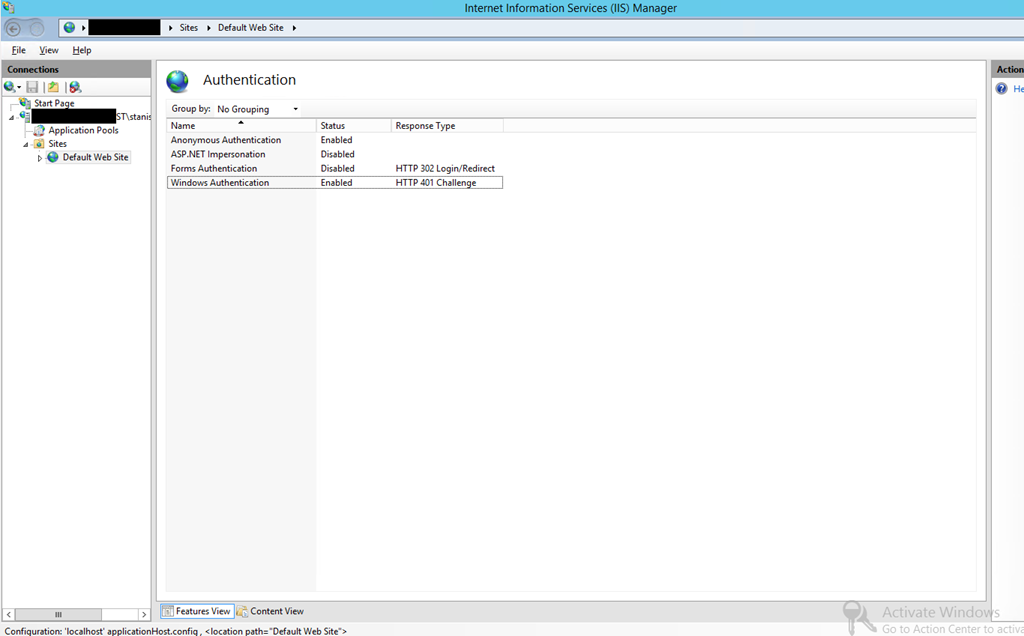
After that I’ve logged to the Web console without problem. This is not specific SCOM 2012 R2 preview issue I am sure it could be met in older versions as well.
 Cloud Administrator in Azure World