It is finally here – Update Rollup 2 for System Center SP1. The update brings fixes for the following issues for the following components:
App Controller (KB2815569)
Issue 1
You cannot change the virtual machine network of deployed virtual machines.
Issue 2
The network connection is set to None after you view the network properties of a deployed virtual machine and then click OK.
Issue 3
You cannot view the virtual networks for a virtual machine.
Issue 4
When you change the virtual network in App Controller, you receive the following error message:
10605-InvalidVLanConfiguration
Issue 5
You cannot copy virtual machines that have multiple processors or large amounts of memory from Virtual Machine Manager to a Windows Azure cloud service that already has a deployment.
Issue 6
App Controller requires Microsoft Silverlight 5 but links to the download page for Silverlight 4.
Issue 7
An argument null exception may occur if network connectivity is interrupted.
App Controller Setup (KB2823452)
Issue 1
App Controller cannot be installed if the Microsoft SQL Server database server name starts with a number. For more information about this issue, see Installation of App Controller to a Remote SQL Server fails with Exception Error Code: 0x80131500.
Issue 2
Setup incorrectly reports that the SQL Server database has insufficient disk space.
Issue 3
Setup is unsuccessful when it tries to enable Internet Information Services (IIS).
Operations Manager (KB2828615)
Issue 1
The Web Console performance is very poor when a view is opened for the first time.
Issue 2
The alert links do not open in the Web Console after Service Pack 1 is applied for Operations Manager.
Issue 3
The Distributed Applications (DA) health state is incorrect in Diagram View.
Issue 4
The Details Widget does not display data when it is viewed by using the SharePoint webpart.
Issue 5
The renaming of the SCOM group will not work if the user language setting is not "English (United States)."
Issue 6
An alert description that includes multibyte UTF-8 characters is not displayed correctly in the Alert Properties view.
Issue 7
The Chinese (Taiwan) Web Console displays the following message even after the SilverlightClientConfiguration.exe program is run:
Web Console Configuration Required.
Issue 8
The Application Performance Monitoring (APM) to IntelliTrace conversion is broken when alerts are generated from dynamic module events such as the Unity Container.
Issue 9
Connectivity issues to System Center services are fixed.
Operations Manager – UNIX and Linux Monitoring (Management Pack Update) (KB2828653)
Issue 1
The Solaris agent could run out of file descriptors when many multi-version file systems (MVFS) are mounted.
Issue 2
Logical and physical disks are not discoverable on AIX-based computers when a disk device file is contained in a subdirectory.
Issue 3
Rules and monitors that were created by using the UNIX/Linux Shell Command templates do not contain overridable ShellCommand and Timeout parameters.
Issue 4
Process monitors that were created by the UNIX/Linux Process Monitoring template cannot save in an existing management pack that has conflicting references to library management packs.
Issue 5
The Linux agent cannot install on a CentOS or Oracle Linux host by using FIPS version of OpenSSL 0.9.8.
Service Manager (KB2828618)
Issue 1
If the number of "Manual Activities" that are displayed in the Service Manager Portal exceeds a certain limit, page loads may time out and do not render correctly. This results in a blank page.
Issue 2
Incorrect cleanup of a custom related type causes grooming on the EntityChangeLog table to stall. This causes the table to grow significantly.
Issue 3
Service requests complete unexpectedly because of a race condition between workflows.
Issue 4
The console crashes when you double-click a parent incident link on an extended incident class.
Issue 5
PowerShell tasks that were created by using the authoring tool do not run because of an incorrect reference to certain assemblies.
Issue 6
The Exchange management pack is stuck in a Pending state after management pack synchronization.
Orchestrator (KB2828616)
Issue 1
The Monitor SNMP Trap activity publishes incorrect values for strings when a Microsoft SNMP Trap Service connection is used.
Issue 2
Inconsistent results when you use Orchestrator to query an Oracle database.
Data Protection Manager (KB2822782)
Issue 1
An express full backup job in System Center 2012 Service Pack 1 may stop responding on a Hyper-V cluster that has 600 or more virtual machines.
Issue 2
When a System Center 2012 Service Pack 1 item level restore operation is performed on a SharePoint host header-based site collection, the restore operation is unsuccessful.
Issue 3
When you open Data Protection Manager on a computer that is running System Center 2012 Service Pack 1, the Welcome screen does not indicate the correct version of Service Pack 1.
Issue 4
When you perform a disconnected installation of the Data Protection Manager 2012 Service Pack 1 agent, you receive the following error message:
Protection agent cannot be installed on a machine where DPM is installed.
Issue 5
When you use Data Protection Manager 2012 Service Pack 1 for tape backup, a checksum error may occur when the WriteMBC workflow is run.
Issue 6
Backups of CSV volumes may be unsuccessful with metadata file corruption in Data Protection Manager 2012 Service Pack 1.
Issue 7
The Data Protection Manager console may require more time to open than expected when many client systems are being protected.
This Update rollup is suppose to bring Exchange Connector for Service Manager but I do not see it mentioned in the KB article. May be it will be released as an additional download like the Cloud Process Pack and GRC Pack.
Another strange thing in this update is that addresses issues in App Controller Setup. Does this mean that new full installation of SC 2012 SP1 with UR2 will be published on MSDN, Technet and VL sites?
I will update this article if more information appears.
Full KB article is located here. Read the installation instructions before applying.

 ). I’ve opened the VMM console. Went to settings, than System Center settings and I’ve opened the properties of Operations Manager Server. Click on the SQL Server Analysis Services tab and entered the SQL server name, the SQL instance, the port that I had set and the credentials to connect. To my surprise I’ve received and error to my surprise I’ve received an error message: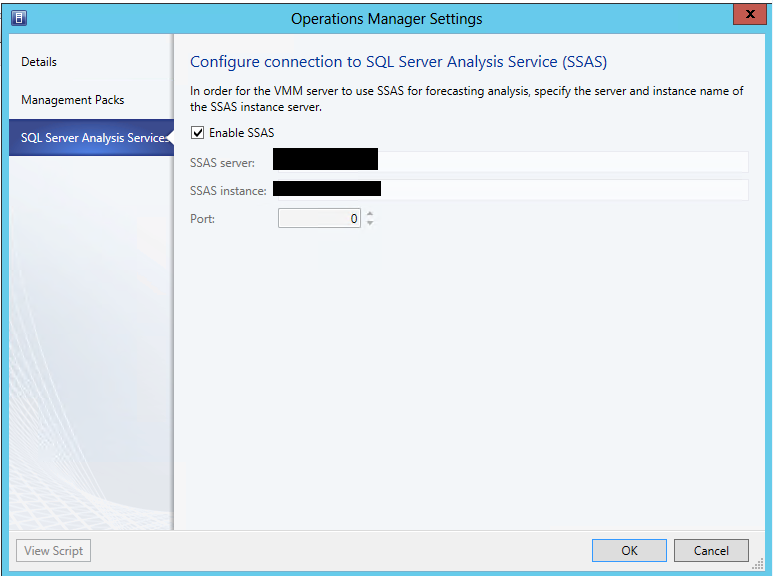
 Cloud Administrator in Azure World