
Yes it is true. The freshly released Service Pack 1 of System Center 2012 has update rollup. Here are the fixes:
App Controller (KB2790935)
Issue 1
Copying a .vhd file between Windows Azure storage accounts may be unsuccessful, and you receive a "Retrieved data is complete" warning message. This issue occurs if the .vhd file already exists on the destination or if the .vhd file is mapped to an existing virtual machine.
Issue 2
The import of Virtual Machine Manager (VMM) library server certificates may be unsuccessful for VMM library servers that are clustered.
Data Protection Manager (KB2791508)
Issue 1
Client backups fail when there is a case difference between the client computer name on the computer and the client computer name that is stored in Active Directory.
Operations Manager (KB2784734)
Issue 1
Agentless Exception Monitoring (AEM) in Operations Manager may provoke an increase in reporting threads and choke points.
Issue 2
After the Alert Attachment Management Pack (Microsoft.SystemCenter.AlertAttachment.mpb) is imported, you create a dashboard that contains an alert widget. When you click an alert, the Operations Manager console may crash.
Issue 3
When a Windows PowerShell module uses the Monitoringhost.exe process on an x86-based client that is running Windows 8, more than 800 megabytes (MB) of memory may be consumed.
Issue 4
After an application domain is created, adding another application domain may be unsuccessful.
Operations Manager – UNIX and Linux Monitoring (Management Pack Update)
Issue 1
When multiple process monitors are used to target the same computer or group, processes may incorrectly monitor some template instances. Additionally, problems with the monitored processes may not be detected. This issue occurs when each process monitor uses the same name as the process even though different argument filters are used in each process monitor.
Note After the updated Microsoft.Unix.Process.Library.mpb file is imported, all existing Process Template instances must be edited and saved for the fixed behavior to take effect.
Service Provider Foundation (KB2785476)
Issue 1
The OperatingSystemId property on a virtual hard disk (VHD) object is always set to NULL.
Issue 2
Virtual machine usage metrics are not aggregated at hourly intervals and are missing basic usage metrics such as network sent and receive I/O operations per second (IOPS).
Virtual Machine Manager (KB2792925 – Console; KB2792926 – VMM Server)
Issue 1
When a logical unit number (LUN) is unmasked on an iSCSI array, the VMM service may crash.
Issue 2
When a node is put in maintenance mode, virtual machines in the cluster change to a status of "Unsupported Cluster Configuration."
Issue 3
When an add-in that uses multiple DLL files is imported into the VMM console, the add-in is not imported. Additionally, you receive the following error message:
Add-in cannot be installed
Issue 4
When an add-in is imported into the VMM console on a server that is running Windows Server 2008 R2, the add-in is not imported.
Issue 5
When an add-in is imported into the VMM console, the console may crash.
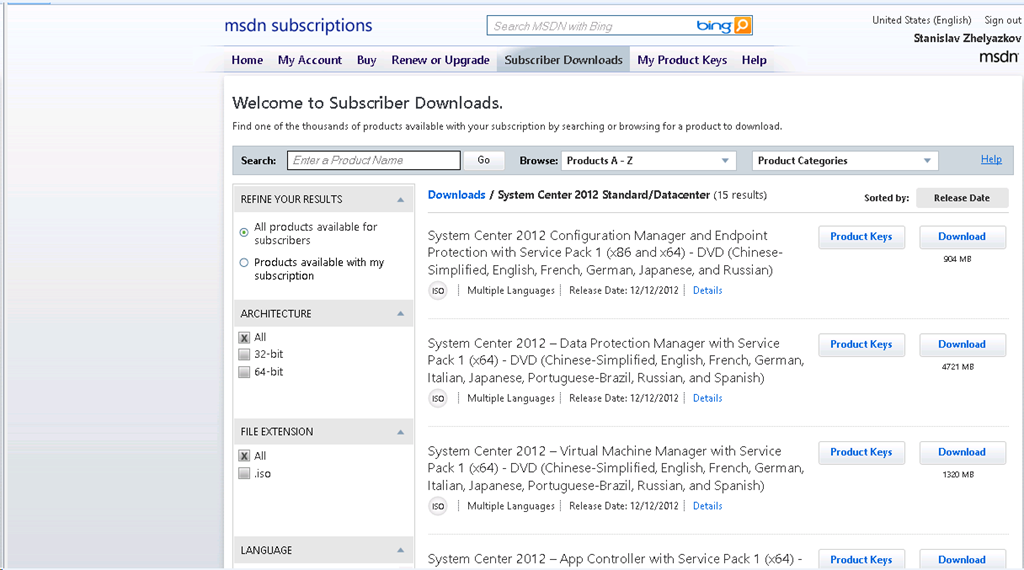
Instructions and download find here.
 .
.
 Cloud Administrator in Azure World