
A common request to cloud providers is not only to provide individual virtual machines but also to provide a service. Jim Britt from Microsoft provides a service template for SharePoint 2013 that you can customize to fit in your cloud. If you are interested it check it out here.
Tag: VMM
Configuring SQL Analysis Services for Virtual Machine Manager 2012 SP1 with Static Port Resulted in an Error
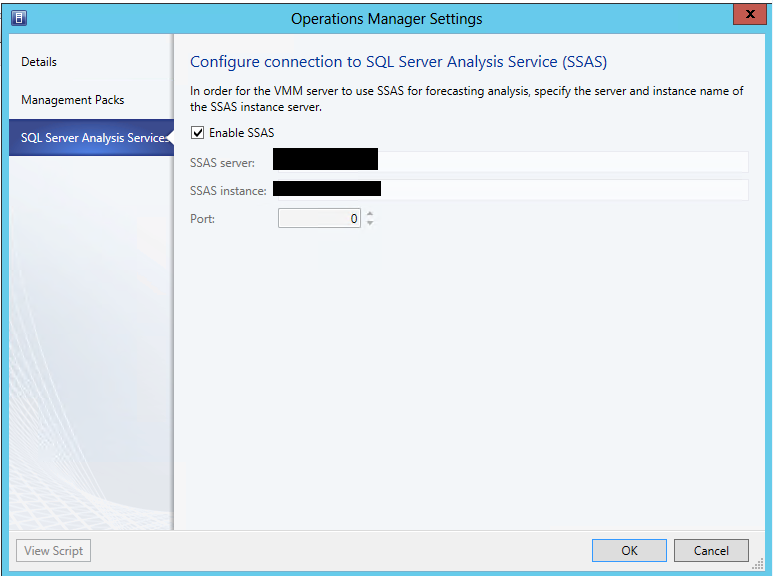
Reporting in System Center 2012 Virtual Machine Manager is achieved trough the integration with OpsMgr 2012. In order to run some of the VMM reports that have forecasting you have to configure the VMM to SCOM integration to use SQL Analysis Services instance. This instance should be the same instance with Reporting Services for SCOM. So I’ve installed SQL Analysis Services on the same instance with Reporting Services for SCOM. It is not the default instance on the server so I’ve configured SQL Analysis Services to use a specific static port instead of using a dynamic one (I like using static ports for SQL servers  ). I’ve opened the VMM console. Went to settings, than System Center settings and I’ve opened the properties of Operations Manager Server. Click on the SQL Server Analysis Services tab and entered the SQL server name, the SQL instance, the port that I had set and the credentials to connect. To my surprise I’ve received and error to my surprise I’ve received an error message:
The SQL Server Analysis Server %ComputerName; is not reachable.
I’ve opened CMD and checked if there is a connection to the SQL server and the port via Telnet. Connection was OK. Than I’ve replaced the port with 0 and connection was successful. SQL Analysis Services were configured successfully. To me this is a bug and I will try to log it.
Create Snapshots of VMM Service via PowerShell
Mike DeLuca leveraged VMM 2012 and PowerShell and created small and useful PowerShell script that creates snapshot of every virtual machine that is part of a VMM service. Find the script here.
Virtual Machine Manager Infrastructure Planning and Design (IPD) Guide Beta
VMM team is releasing the beta of Infrastructure Planning and Design Guide for Virtual Machine Manager 2012. The document can be download from the Microsoft Connect site here (you will need MS account). As this is a beta you review the document and send feedback to Microsoft at IPDfdbk@microsoft.com.
KB: Deploying a DAC pack in System Center 2012 Virtual Machine Manager fails if using a named SQL instance
Another knowledge base article for VMM 2012. If you stumbled on such issue you can find the solution here.
 Cloud Administrator in Azure World