
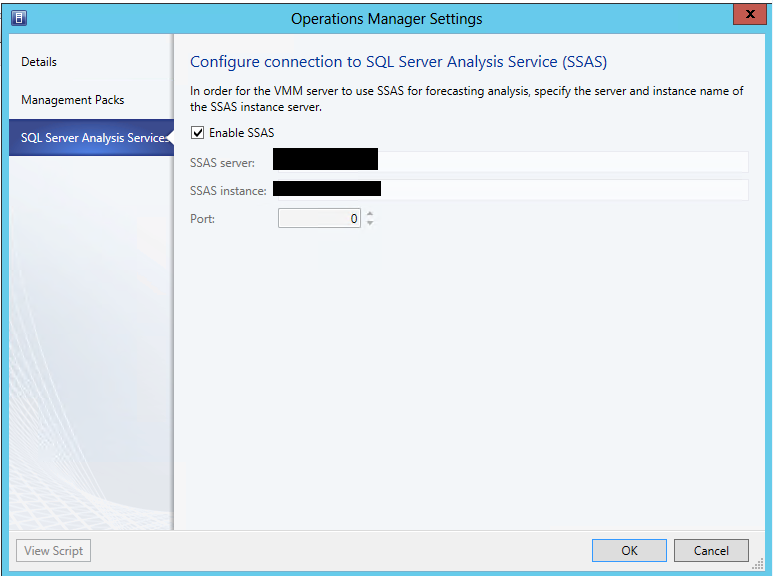
Reporting in System Center 2012 Virtual Machine Manager is achieved trough the integration with OpsMgr 2012. In order to run some of the VMM reports that have forecasting you have to configure the VMM to SCOM integration to use SQL Analysis Services instance. This instance should be the same instance with Reporting Services for SCOM. So I’ve installed SQL Analysis Services on the same instance with Reporting Services for SCOM. It is not the default instance on the server so I’ve configured SQL Analysis Services to use a specific static port instead of using a dynamic one (I like using static ports for SQL servers  ). I’ve opened the VMM console. Went to settings, than System Center settings and I’ve opened the properties of Operations Manager Server. Click on the SQL Server Analysis Services tab and entered the SQL server name, the SQL instance, the port that I had set and the credentials to connect. To my surprise I’ve received and error to my surprise I’ve received an error message:
The SQL Server Analysis Server %ComputerName; is not reachable.
I’ve opened CMD and checked if there is a connection to the SQL server and the port via Telnet. Connection was OK. Than I’ve replaced the port with 0 and connection was successful. SQL Analysis Services were configured successfully. To me this is a bug and I will try to log it.
 Cloud Administrator in Azure World