
Service Management Automation (SMA) is the next gen IT Automation tool. SMA has some certain advantage over Orchestrator but also some limitations and vise versa. Nevertheless I am taking in consideration that you are aware of these advantages and limitations and you’ve decided to move fully or partially from SCO to SMA. Continue reading “From Orchestrator to Service Management Automation: Migration Scenarios”
Category: System Center Orchestrator
Installing System Center Service Management Automation Worker Role Fails with MSI Error 1603
I was deploying SMA recently and bumped in into the following error while installing the Worker Role: Continue reading “Installing System Center Service Management Automation Worker Role Fails with MSI Error 1603”
Important Links for the R2 Wave
Remote Tools:
Release notes for System Center 2012 R2:
- App Controller
- Data Protection Manager
- Operations Manager
- Orchestrator
- Service Manager
- Virtual Machine Manager
- Windows Azure Pack
- Configuration Manager
WAP:
- Technical Documentation for Windows Azure Pack for Windows Server
- Windows Azure Pack Gallery Resources and SCVMM Service Templates
- Claims Based Authentication in WAP – White paper
- Cmdlet Reference Download for Windows Azure Pack for Windows Server
What is new in System Center 2012 R2:
- System Center 2012 R2 App Controller
- System Center 2012 R2 Configuration Manager
- System Center 2012 R2 Data Protection Manager
- System Center 2012 R2 Operations Manager
- System Center 2012 R2 Orchestrator
- System Center 2012 R2 Service Manager
- System Center 2012 R2 Virtual Machine Manager
System Center 2012 R2 Documents Download:
- Technical Documentation Download for System Center 2012 – Data Protection Manager
- Technical Documentation Download for System Center 2012 – Service Manager
- Technical Documentation Download for System Center 2012 – App Controller
- Technical Documentation Download for System Center 2012 – Operations Manager
- Technical Documentation for Getting Started with System Center 2012 R2
- Technical Documentation Download for System Center 2012 – Virtual Machine Manager
- Technical Documentation Download for System Center 2012 – Orchestrator
- Cmdlet Reference Download for System Center 2012
How to Upgrade:
- Upgrade Sequencing for System Center 2012 R2
- Planning to Upgrade System Center 2012 Configuration Manager
- Upgrading System Center 2012 SP1 – Operations Manager to System Center 2012 R2
- Upgrading to VMM in System Center 2012 R2
- Upgrading System Center 2012 SP1 Orchestrator to System Center 2012 R2
- Upgrading System Center 2012 – Service Manager SP1 to System Center 2012 R2
- Upgrading to System Center 2012 R2 – DPM
- Upgrading System Center 2012 SP1 App Controller to System Center 2012 R2
System Center 2012 R2 Evaluation VHDs:
- System Center 2012 R2 Data Protection Manager – Evaluation (VHD)
- System Center 2012 R2 App Controller – Evaluation (VHD)
- System Center 2012 R2 Operations Manager – Evaluation (VHD)
- System Center 2012 R2 Configuration Manager – Evaluation (VHD)
- System Center 2012 R2 Orchestrator – Evaluation (VHD)
- System Center 2012 R2 Virtual Machine Manager – Evaluation (VHD)
- System Center 2012 R2 Service Manager – Evaluation (VHD)
- System Center 2012 R2 Service Manager Data Warehouse – Evaluation (VHD)
Windows Server 2012 R2 Updates:
Automatic Deployment of System Center 2012 R2:
Management Packs:
- Windows Server 2012 R2 OS MP
- System Center Monitoring Pack for System Center 2012 R2 – Service Manager
- Active Directory Domain Services Management Pack for System Center
- System Center Management Pack for Windows Server 2012 R2 DHCP
- System Center Management Pack for Active Directory Rights Management Services 2012 R2
- System Center Management Pack for Windows Azure
- System Center 2012 Management Pack for Microsoft Windows Server AD CS 2012
- System Center 2012 Management Pack for Windows Server 2012 R2 Remote Access
- Active Directory Lightweight Directory Services (ADLDS) Management Pack
- System Center Management Pack for Windows Server 2012 R2 Hyper-V
- System Center Management Pack for Windows Server Network Load Balancing
- System Center 2012 Management Pack for Windows Server 2012 R2 Windows Deployment Services
- System Center Management Pack for WSUS on Windows Server 2012 R2
- System Center Management Pack for Windows Print Server 2012 R2
- System Center Management Pack for Service Reporting
- System Center Management Pack for Windows Azure Pack
- System Center Management Pack for Windows Azure Pack: Web Sites
- System Center Management Pack for Web Application Proxy
- System Center 2012 Management Pack for Microsoft Windows Server 2012 Internet Information Service 8
- System Center 2012 Management Pack for Multi-Tenant RemoteAccess 2012
- System Center Management Pack for Windows Server 2012 R2 Essentials
- System Center Management Pack for Windows Server DNS
- System Center 2012 Monitoring Pack for UNIX and Linux Operating Systems
- System Center 2012 – Operations Manager Component Add – On AKA JEE Monitoring
- System Center Management Pack for System Center 2012 R2 Orchestrator – Service Management Automation
- System Center Management Pack for Windows Server Cluster
- System Center Management Pack for Service Provider Foundation (SPF)
- System Center Management Pack for System Center 2012 R2 Orchestrator
- System Center 2012 Management Pack for Microsoft Windows Server 2012 R2 Message Queuing 6.3
- Windows BranchCache Management Pack for Operations Manager 2012
- System Center 2012 Management Pack for Java Application Performance Monitoring – NEW
- System Center Management Pack for Distributed Transaction Coordinator on Windows Server 2012 R2 – NEW
System Center 2012 R2 addons:
- Microsoft System Center 2012 R2 Configuration Manager – Clients for Additional Operating Systems
- System Center 2012 R2 – Orchestrator Component Add-ons and Extensions
- System Center 2012 R2 Integration Pack for HP iLO and OA
- System Center 2012 R2 Integration Pack for VMware vSphere
- System Center 2012 R2 Integration Pack for HP Operations Manager
- System Center 2012 R2 Integration Pack for HP Service Manager
- System Center 2012 R2 Integration Pack for IBM Tivoli Netcool/OMNIbus
- System Center 2012 R2 Configuration Manager Toolkit
- System Center 2012 R2 Configuration Analyzer – NEW
Development:
- System Center 2012 Visual Studio Authoring Extensions
- VM Role Authoring Tool
- System Center 2012 R2 Service Manager Authoring Tool
- Windows Azure Pack: Service Management API Samples
- System Center 2012 R2 Configuration Manager SDK
Visio Stencils:
- SCOM 2012 R2 Infrastructure Visio Stencils
- SCVMM 2012 R2 Visio Stencils
- DPM 2012 R2 Visio Stencils
- SCOM 2012 R2 Application Visio Stencils
- SCOM 2012 R2 APM
- SCOM 2012 R2 Networking
Microsoft Deployment Toolkit (MDT) 2013
Windows Server 2012 R2 and Windows Server 2012 TechNet Library Documentation
Windows Server 2012 R2 Test Lab Guide
Linux Integration Services Version 3.5 for Hyper-V – NEW
More links to come
Orchestrator Web Service Does Not Work After Adding The Server to Infrastructure Servers in VMM 2012 R2
I have a couple of Orchestrator servers with Web Features role installed on them. I’ve recently added those servers as Infrastructure Servers in VMM 2012 R2 in order to update them from there. After adding them the Orchestrator Web Service on those server stopped working. Continue reading “Orchestrator Web Service Does Not Work After Adding The Server to Infrastructure Servers in VMM 2012 R2”
Quick Look at System Center Service Provider Foundation Management Pack
Last week the SPF MP for SCOM was released so let’s look on how to install it and configure it.
First we need to install it:

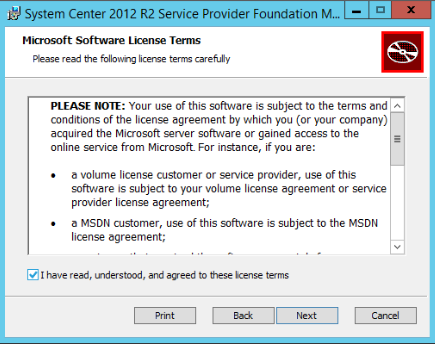
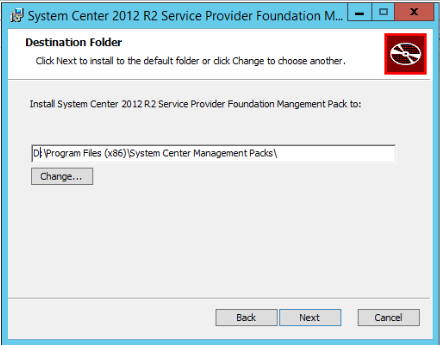


Then we need to import in SCOM
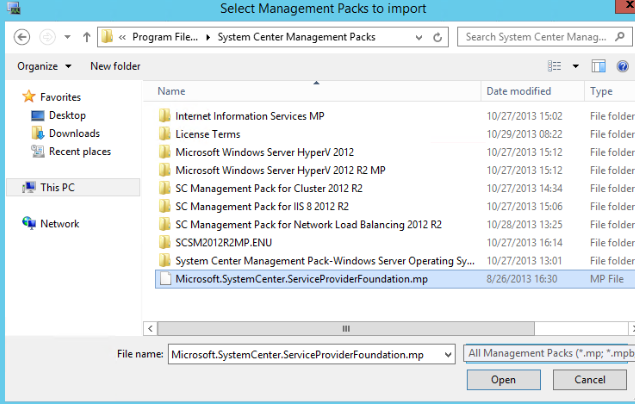
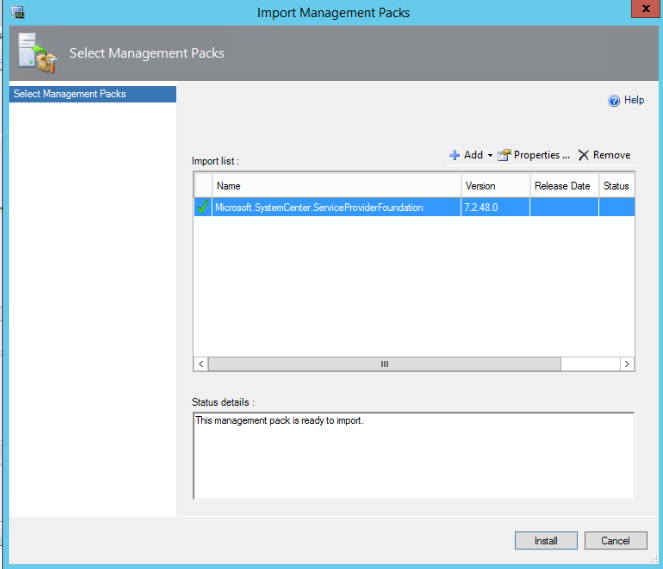
After it is imported we need to create account/s. According to the guide you need to create two accounts in SCOM:
- One account that have access to the SPF database and with access to your VMM;
- Second account with access to the VMM endpoint in SPF.
As I see it you need only read access for both accounts but in my case I will use one account that have admin rights in SPF database, admin rights in VMM and member of the group that gives permissions to the VMM endpoint.


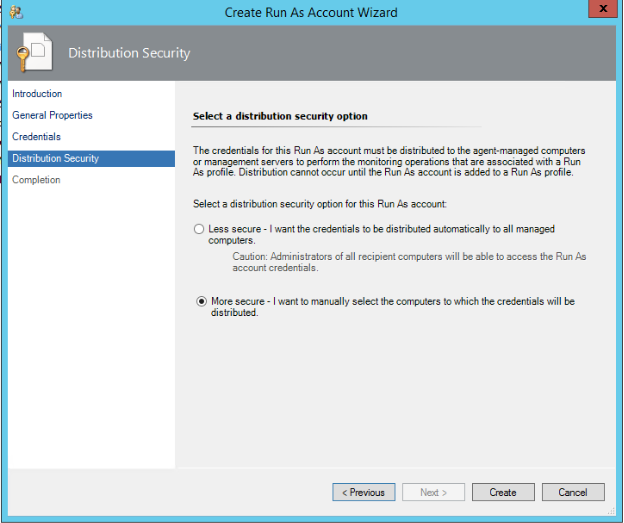
Set it to more secure
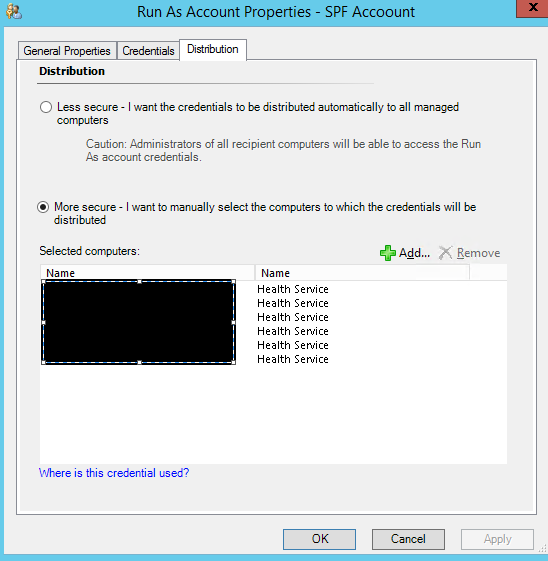
Next open the properties of the account in the Distribution tab add all your SPF server(s), VMM server(s) and SQL server(s) where SPF database is:
In the SCOM console in Profiles section you will see two profiles:
- Service Provider Foundation Database Account
- Service Provider Foundation VMM Web Endpoint Account

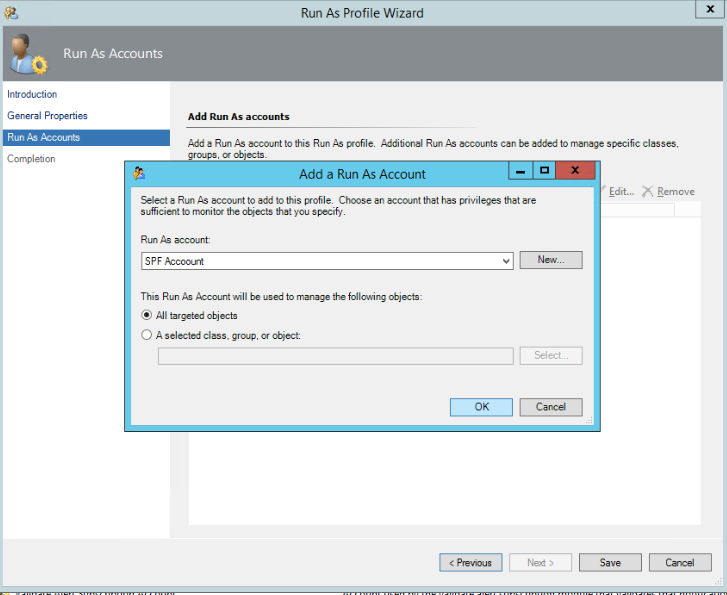
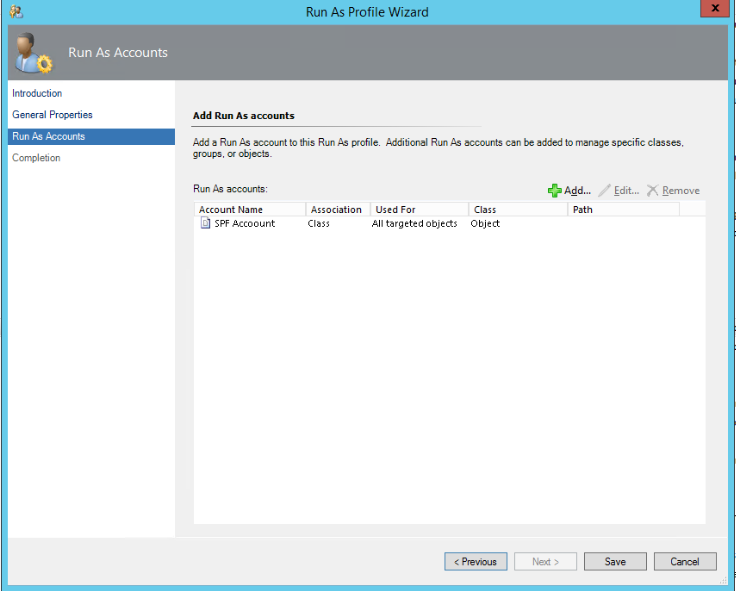
To both accounts you need to add the account you’ve just added in SCOM. Of course if you want to go more secure and have two accounts you will add them to the corresponding profile. Also remember to distribute the accounts to the right servers. In my case I am adding to both profiles the same account:
After that in your Service Provider Foundation State view you should see your SPF servers:
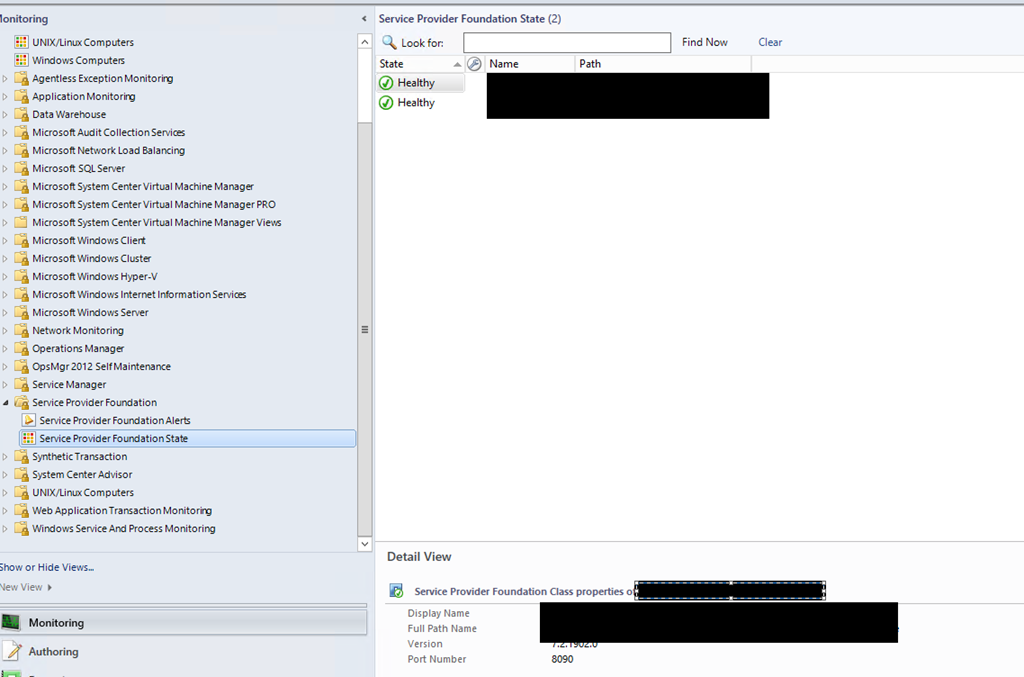
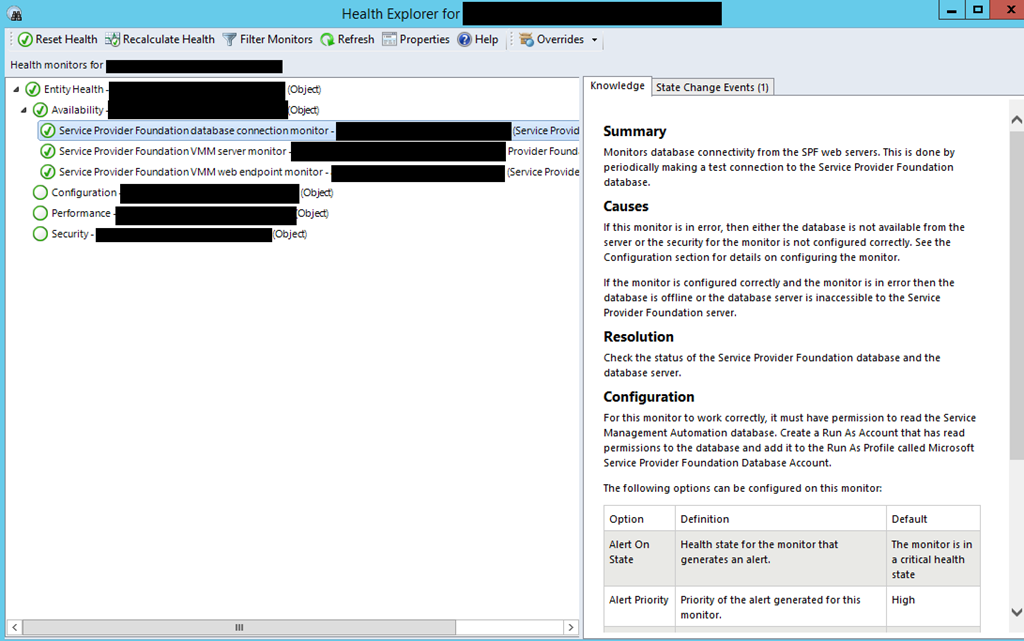
If you have any alerts for wrong credentials you can reset the monitors and close the alerts. During the import, the creation of the accounts and setting them some alerts might be generated for wrong credentials.
 Cloud Administrator in Azure World